
Broadcast Best Practices
Creating and sending broadcasts in Convers8 is simple — but doing it well requires thoughtful planning, compliance awareness, and smart audience management. This section highlights proven strategies to help you achieve better engagement, maintain WhatsApp compliance, and maximize your broadcast performance.
1. Ensure WhatsApp Compliance
Convers8’s broadcast system is built on the WhatsApp Business API, which has strict messaging policies. To stay compliant and avoid delivery issues:
- ✅ Use approved templates: Every broadcast must use a WhatsApp-approved message template.
- ⚠️ Avoid unsolicited messages: Only message users who have opted in to receive communication from your business.
- 🚫 No spam or bulk advertising: Repeated, irrelevant, or non-consensual messages may result in account restrictions.
- 📜 Follow category rules: Templates must be approved under the correct category (e.g., marketing, utility, authentication).
2. Segment Your Audience
Segmentation ensures your messages reach the right people with the right content.
- Group contacts by region, purchase behavior, or engagement level.
- Use dedicated broadcast lists for specific goals (e.g., “Trial Users,” “Renewal Reminders,” “VIP Clients”).
- Avoid sending the same generic message to all customers — personalize wherever possible.
💡 Pro Tip: A smaller, well-segmented list often performs better than a large, generic one.
3. Personalize with Template Variables
WhatsApp templates support dynamic placeholders like names, order IDs, or dates. Use these to make messages feel personal and relevant.
Example:
Hi {{1}}, your order {{2}} is ready for pickup at {{3}}.This could become:
Hi Sarah, your order #5293 is ready for pickup at Lagos Main Store.
🧠 Remember: Personalization boosts open and response rates significantly.
4. Choose the Right Send Time
Timing impacts engagement and delivery rates.
- Schedule messages during business hours for best response rates.
- Avoid sending early mornings, late nights, or weekends (unless contextually relevant).
- Analyze Dashboard → Broadcast Reports to find peak engagement times.
5. Test and Iterate
Start small, learn fast, and refine your approach.
- Send a test broadcast to an internal list first.
- Review formatting, variable mapping, and media display.
- Use analytics to track delivery, read, and reply performance.
- Adjust templates, timing, or segmentation based on results.
🔍 Tip: Document what works — keep a playbook of successful campaigns for your team.
6. Monitor Analytics Regularly
Convers8 provides insights into:
- Delivery Rate – Percentage of messages successfully delivered.
- Read Rate – How many recipients viewed your message.
- Response Rate – How many replied, triggering a ticket.
- Failed – Percentage of messages that were not successfully delivered.
Use this data to:
- Identify high-performing campaigns.
- Detect underperforming lists or templates.
- Optimize message timing and structure.
7. Use Media Wisely
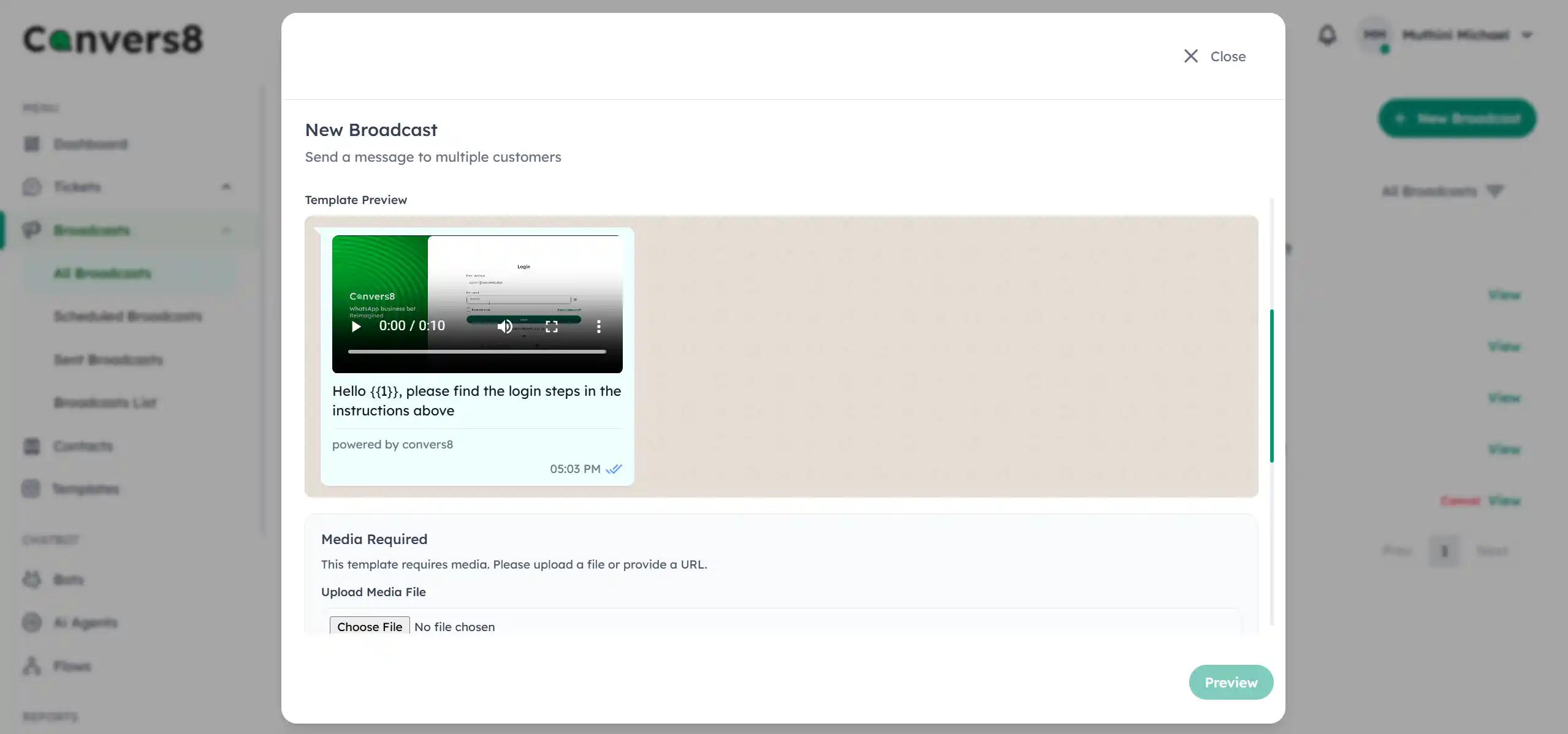
Enhance your broadcasts with visuals or attachments — but keep them lightweight.
- Include images for product promotions or event banners.
- Attach PDFs or documents for invoices, guides, or menus.
- Keep file sizes small to ensure faster delivery on all devices.
8. Respect Customer Preferences
Always provide a clear and simple opt-out process. Customers should be able to stop receiving messages at any time.
💬 Example: “Reply STOP to unsubscribe.”
Maintaining trust and respecting preferences helps improve your sender reputation and message deliverability.
Summary: Best Practices Checklist
| ✅ Best Practice | Why It Matters |
|---|---|
| Use approved templates | Keeps your WABA account compliant |
| Segment your lists | Increases message relevance and engagement |
| Personalize templates | Builds trust and improves response rates |
| Optimize send times | Boosts read and reply rates |
| Track analytics | Helps refine campaigns |
| Respect opt-outs | Maintains compliance and customer trust |