
Broadcast FAQs & Troubleshooting
This section covers the most frequently asked questions and common issues related to Broadcasts in Convers8 — including setup, sending, delivery, and compliance.
Frequently Asked Questions (FAQs)
1. What’s the difference between a Broadcast and a Ticket?
- A Broadcast is a one-to-many message sent using approved templates.
- A Ticket is created when a customer replies to a broadcast, turning the conversation into a one-on-one interaction managed by your AI or human agents.
2. Can I send any type of message via Broadcast?
No. Broadcasts can only use approved WhatsApp templates. These templates must be reviewed and approved by WhatsApp before use to ensure policy compliance.
3. Can I personalize broadcast messages?
Absolutely! When creating a broadcast, use template variables (like 1, 2) to insert dynamic details such as:
- Customer name
- Order ID
- Appointment date
- Store location
Example: “Hi 1, your order 2 is now ready for pickup at 3.”
4. Can I schedule a broadcast?
Yes. Toggle “Schedule Broadcast” while creating a broadcast, then set your preferred date and time. Convers8 will queue and send it automatically based on your timezone.
🕒 Tip: Schedule promotional messages during high engagement periods — typically weekdays between 9 AM and 5 PM local time.
5. What happens if a broadcast fails to send?
If a broadcast doesn’t send, check the following:
| Possible Cause | Solution |
|---|---|
| Template not approved | Verify approval in the Templates section. |
| No recipients selected | Ensure your Broadcast List has contacts. |
6. Is there a limit to how many contacts I can send to?
Yes — WhatsApp imposes limits based on your Business Messaging Tier.
| Tier | Maximum Contacts per 24h | Description |
|---|---|---|
| Tier 1 | 1,000 | Starting tier for new businesses |
| Tier 2 | 10,000 | Upgraded after consistent quality |
| Tier 3 | 100,000 | High-trust accounts |
| Tier 4 | Unlimited | Enterprise-grade verified businesses |
💡 Tip: Keep your quality rating high by sending relevant, compliant messages and avoiding spam complaints.
7. Can I include media in my broadcast?
Yes! You can attach:
- Images (JPG, PNG)
- Videos (MP4 under 5MB)
- Documents (PDF, DOCX, etc.)
Media improves engagement but should remain relevant and lightweight to avoid slow delivery.
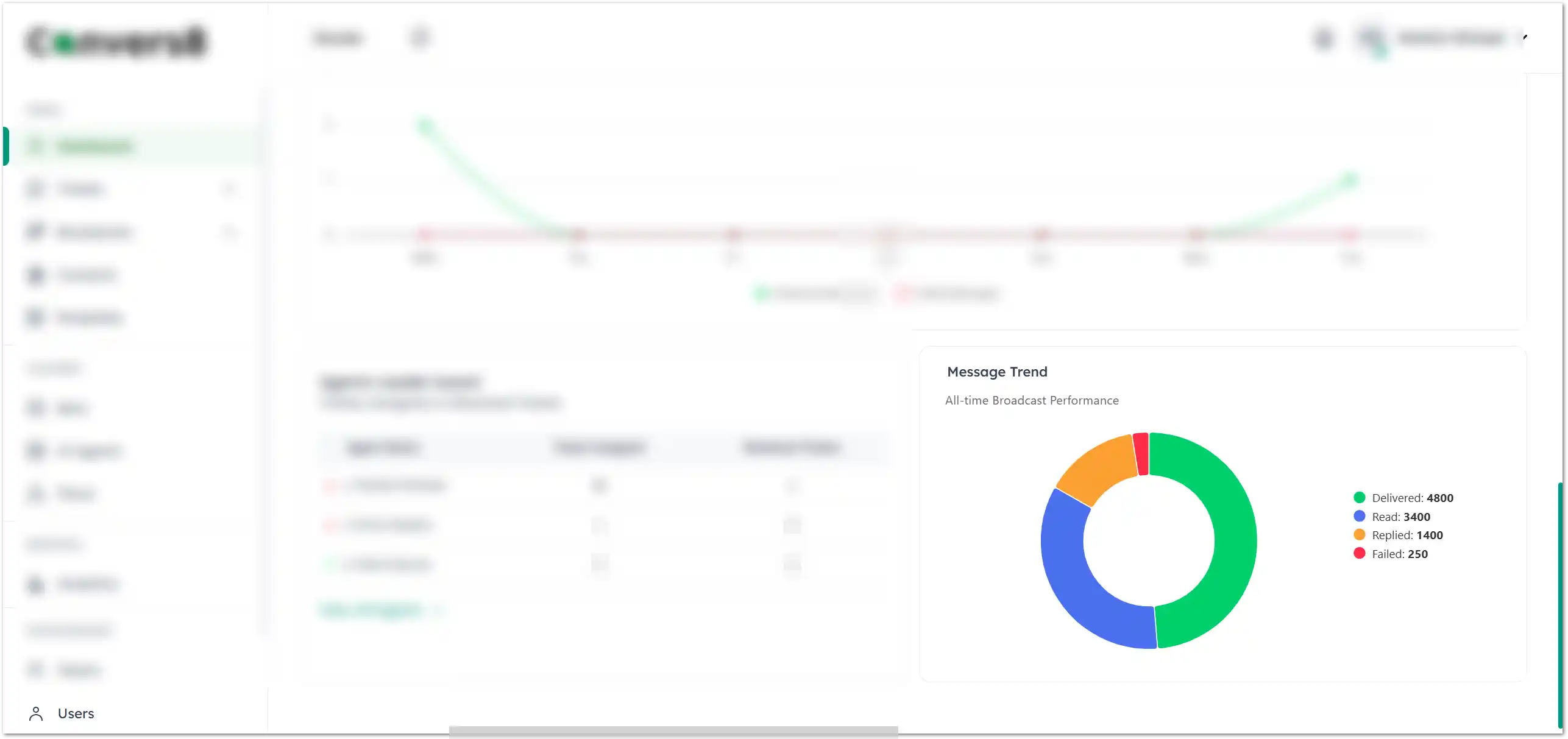
8. How can I track my broadcast’s performance?
Go to Dashboard → Broadcast Reports to view:
- Message delivery rate
- Read and reply rates
- Response times
- Message failure rate
9. Can I edit or cancel a broadcast after sending?
No. Once a broadcast is sent, it cannot be edited or canceled. However, scheduled broadcasts can be canceled before their send time by navigating to:
Broadcasts → Scheduled → Cancel Broadcast.
10. Why are some recipients not receiving my broadcast?
Possible reasons:
- Recipient has blocked your number.
- They have opted out or revoked messaging permission.
- Their WhatsApp account is inactive or deleted.
- Template was not approved for that message type.
- Message was filtered by WhatsApp due to low quality rating.
Troubleshooting Quick Guide
| Issue | Likely Cause | Fix |
|---|---|---|
| Broadcast not sent | Template not approved | Recheck under Templates |
| List empty | No contacts added | Add contacts in Broadcast Lists |
| Media upload failed | File too large or unsupported | Reduce size (<5MB) and retry |
| Scheduled time missed | Timezone mismatch | Confirm account timezone settings |
| Low engagement | Poor timing or generic message | Segment audience and personalize content |
Need More Help?
If you’ve reviewed this FAQ and still experience issues:
- Visit the Convers8 Help Center.
- Contact Support via chat or email.