
Contacts Overview
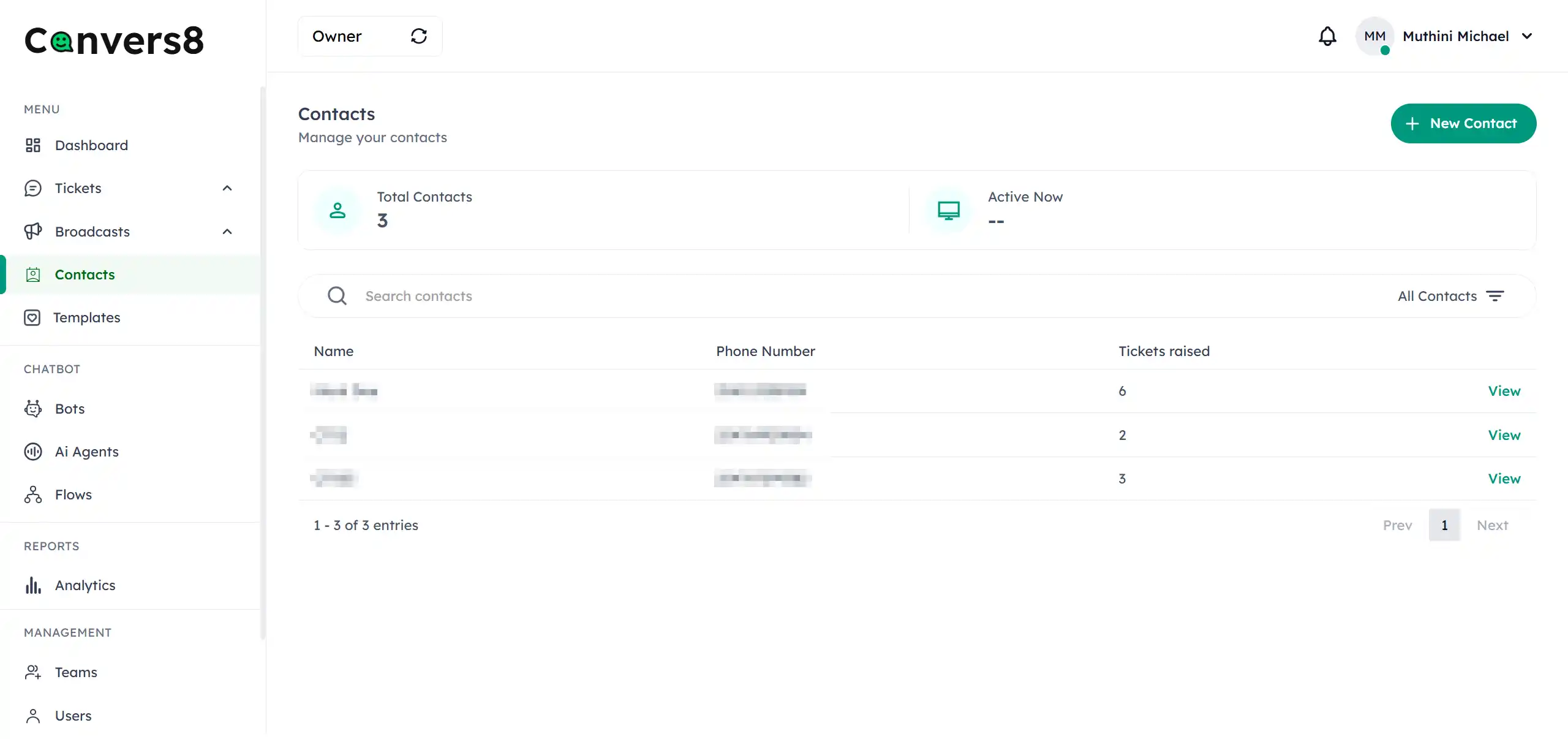
Contacts are the foundation of your customer communication within Convers8. Every chat, broadcast, and campaign starts with a contact — an individual whose information is stored in your system to enable personalized, seamless interactions.
This section explains what contacts are, why they matter, and how they integrate across Convers8’s ecosystem.
What Are Contacts?
A contact represents a person or business entity that you can communicate with via WhatsApp through your connected WABA (WhatsApp Business Account). Each contact record typically includes:
- Full Name — Used for personalized communication.
- Phone Number — The unique identifier used to send or receive WhatsApp messages.
- Email Address (optional) — For additional identification or cross-channel engagement.
Why Contacts Matter
Managing contacts effectively ensures that:
- Every conversation and broadcast reaches the right audience.
- Your team can track customer history and preferences.
- Compliance is maintained with WhatsApp and privacy guidelines.
- AI and human agents have access to relevant context when engaging customers.
Key Features of the Contacts Module
- Add Contacts Manually — Create individual contact records quickly.
- Bulk Import Contacts — Upload multiple contacts using CSV or Excel files.
- Search and Filter — Easily find contacts based on name, phone number, or other fields.
- Edit & Update Details — Keep customer data accurate and current.
- Delete Contacts — Safely remove inactive or duplicate entries.
- Data Sync with Other Modules — Contacts automatically sync with broadcasts, tickets, analytics, and AI workflows.
When to Use Contacts
You’ll interact with the Contacts module whenever you need to:
- Launch a new broadcast campaign.
- Assign or route tickets to customers.
- Build personalized audience segments with broadcast lists.
- Monitor communication history across tickets.