
Managing Broadcast Lists
Broadcast Lists help you organize and segment your contacts for more targeted, personalized messaging. Instead of manually selecting recipients each time you send a broadcast, you can create reusable lists that align with your communication goals — such as campaigns, reminders, or regional updates.
What Is a Broadcast List?
A Broadcast List is a saved group of contacts that can receive messages together in a single broadcast. Using lists allows you to:
- Send messages to a specific audience (e.g., VIP customers, new users, inactive accounts).
- Save time by reusing the same list across multiple broadcasts.
- Improve message relevance and engagement through segmentation.
1. Creating a Broadcast List
Follow these steps to create your first list:
- Navigate to Broadcast Lists, under Broadcasts in the sidebar.
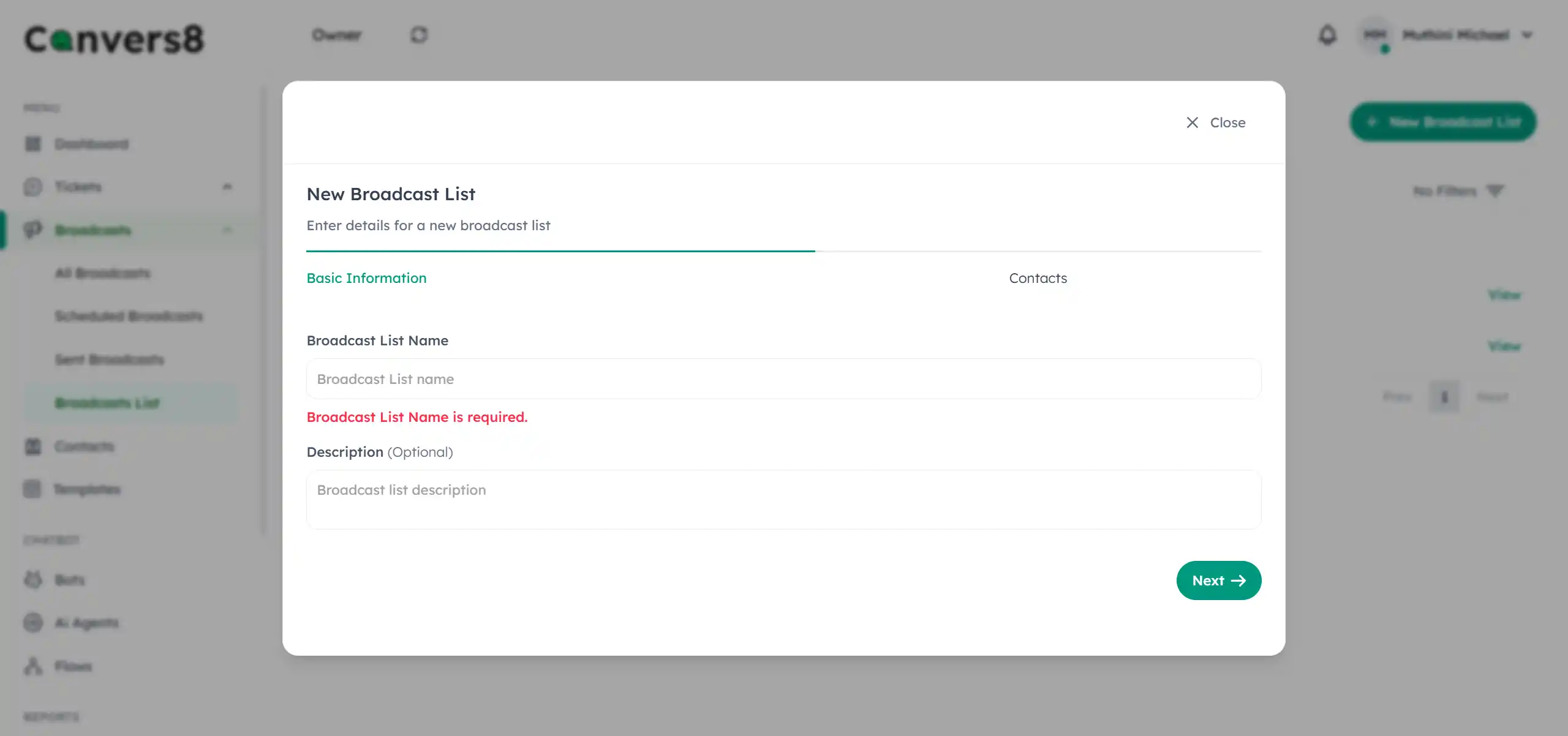
- Click New Broadcast List at the top right.
- Enter a List Name and optional Description (e.g., “Premium Members - Kenya).
- Click Next to proceed.
- From the contact picker, use the checkboxes or search bar to select recipients from your current contacts list.
- Click Add Contacts to create and save your list.
✅ Tip: Use descriptive names so teammates can easily identify the list’s purpose.
2. Editing a Broadcast List
You can update a broadcast list anytime to reflect audience changes.
- Navigate to Broadcast Lists.
- Locate the list you want to edit and click View.
- Click Edit in the top-right corner.
- Modify the Name or Description if needed.
- Add or remove contacts using the search or checkbox options.
- Click Save Changes to apply updates.
💡 Note: Updating a list only affects future broadcasts. Past or scheduled broadcasts remain unchanged.
3. Deleting a Broadcast List
When a list is no longer needed:
- Go to Broadcast Lists.
- Click View beside the list you want to delete.
- Select Delete.
- Confirm by clicking Delete Broadcast List.
⚠Warning
This action is permanent and cannot be undone. Deleting a broadcast list will not delete the contacts themselves — only the grouping.
Best Practices for List Management
| Practice | Description |
|---|---|
| Segment by relevance | Create lists based on customer behavior, location, or engagement level. |
| Keep lists updated | Regularly review and refresh lists to remove outdated or inactive contacts. |
| Respect privacy | Only include contacts who have explicitly opted in to receive messages. |
| Name lists clearly | Use consistent naming conventions for easy identification. |
Common Use Cases
- Marketing Campaigns: Segment users by interest or past purchase behavior.
- Service Updates: Group customers by region or branch.
- Reminders: Create lists for scheduled appointments or renewals.
- Announcements: Maintain dedicated lists for VIPs or partners.
What’s Next?
Exploring how to optimize your broadcast strategy for compliance, engagement, and results.